Evaluating the Zeroxed Brush for Procreate: A Practical Guide
Digital lettering and modern calligraphy have become essential skills for graphic designers, illustrators, and hobbyists alike. As the demand for hand-drawn aesthetics grows, so does the need for tools that can authentically replicate the nuance of traditional ink on paper. The Procreate Brush - Zeroxed has emerged as a specialized tool designed to meet this specific creative need. This article provides an objective evaluation of the Zeroxed brush set, exploring its capabilities, technical requirements, and ideal use cases to help you determine if it aligns with your digital art workflow.
Understanding the Zeroxed Brush Set
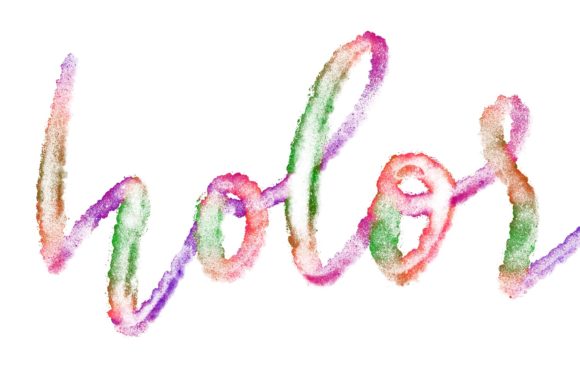
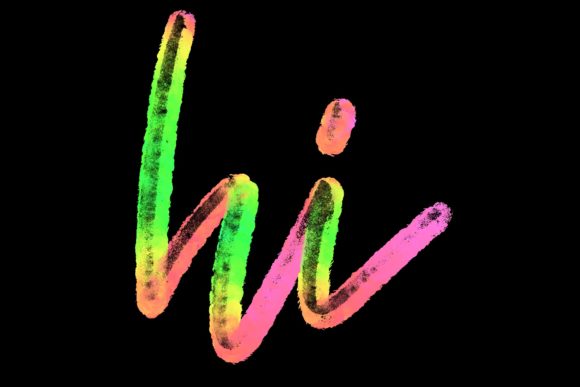
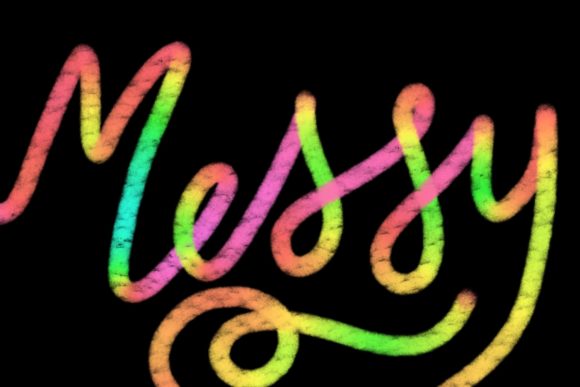
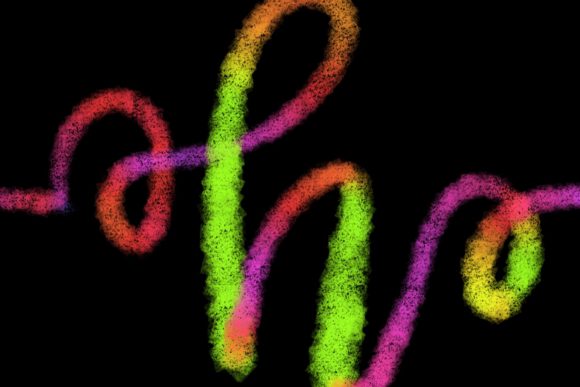
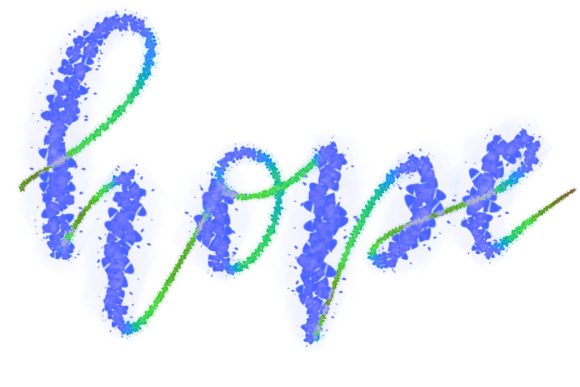
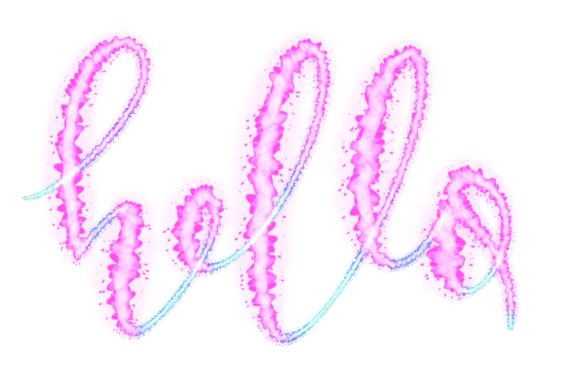
The Zeroxed brush is a custom-designed digital asset created specifically for the Procreate application. Unlike standard brushes that may offer generic strokes, this set is hand-drawn and engineered primarily for lettering and modern calligraphy designs. The core value proposition of the Zeroxed brush lies in its ability to produce elegant, fluid lines that mimic the pressure sensitivity and texture of real-world calligraphy pens.
For artists working within the Apple ecosystem, particularly on the iPad Pro, this brush set offers a streamlined way to create sophisticated typography. It is not merely a single stroke tool but a comprehensive set intended to jazz up workspaces and home decor projects through high-quality graphic design. The brushes are optimized for Procreate 5 and above, ensuring compatibility with the latest features of the software, such as enhanced pressure curves and streamline settings.
Key Benefits and Creative Applications
When evaluating whether to incorporate the Zeroxed brush into your toolkit, it is important to consider the specific types of projects it facilitates. The brush is versatile enough to handle a variety of design tasks, ranging from personal hobbies to professional client work.
- Modern Calligraphy and Lettering: The primary strength of the Zeroxed brush is its responsiveness to the Apple Pencil. It allows for smooth transitions between thick and thin strokes, which is critical for achieving the contrast seen in traditional calligraphy.
- Greeting Cards and Stationery: Designers often use this brush to create personalized greeting cards, wedding invitations, and save-the-date notices. The elegant line quality adds a premium feel to printed materials.
- Logo Design and Branding: For brands seeking a handcrafted or artisanal identity, the Zeroxed brush can be used to draft unique logotypes that stand out from geometric, vector-based fonts.
- Quote Graphics and Social Media Content: The brush is effective for creating shareable quote images, where the visual appeal of the text is as important as the message itself.
By using a tool like the Zeroxed brush for Procreate, artists can significantly reduce the time spent adjusting basic brush settings. The preset configurations allow creators to focus on composition and style rather than technical tweaking.
Technical Requirements and Compatibility Constraints
One of the most critical aspects of evaluating the Zeroxed brush is understanding its hardware and software limitations. This is not a universal tool that works across all digital platforms. Potential users must carefully review the requirements to ensure their setup is compatible.
Hardware Requirements:
- iPad Pro: The brush is optimized for the processing power and screen technology of the iPad Pro series.
- Apple Pencil: A compatible, pressure-sensitive stylus is mandatory. The brush relies on tilt and pressure data to vary line weight and opacity. Without an Apple Pencil or a comparable high-precision stylus, the brush will not function as intended.
Software Requirements:
- Procreate App: The brush files are formatted exclusively for Procreate. They are not compatible with Adobe Photoshop, Clip Studio Paint, Affinity Designer, or any desktop-based illustration software.
- Version Compatibility: Users must have Procreate version 5 or higher installed. Older versions may not support the specific brush engine features utilized by the Zeroxed set.
This exclusivity is a significant tradeoff. If you work in a multi-platform environment, switching between an iPad and a desktop computer, you will not be able to use the same brush file across both devices. You would need to recreate similar effects using different tools in your desktop software, which can disrupt workflow consistency.
Ideal Use Cases vs. When to Consider Alternatives
To make an informed decision, it is helpful to identify scenarios where the Zeroxed brush is a strong fit and situations where alternative tools might be more appropriate.
When Zeroxed is a Strong Fit
The Zeroxed brush is an excellent choice for artists who primarily work on the iPad and specialize in hand-lettered designs. If your goal is to create organic, human-centric typography for wedding stationery, boutique branding, or inspirational posters, this brush set provides the necessary aesthetic quality. It is also suitable for beginners in digital calligraphy who want a tool that forgives minor inconsistencies while still delivering professional results.
Furthermore, if you already own an iPad Pro and Apple Pencil, the marginal cost of adding a specialized brush set is low compared to purchasing new hardware. The immediate usability of the brush allows for a quick return on investment in terms of time saved during the design process.
When to Consider Alternatives
There are several scenarios where the Zeroxed brush may not be the best option. First, if you do not own an iPad Pro or an Apple Pencil, this tool is inaccessible. Standard capacitive styluses or finger painting will not activate the pressure-sensitive features required for calligraphy.
Second, if your work involves heavy vector editing or requires seamless integration with Adobe Illustrator or Photoshop, relying on a Procreate-exclusive brush may create friction. In such cases, learning to use vector-based calligraphy tools or Photoshop’s custom brush engines might be more efficient for long-term workflow integration.
Finally, if you are looking for a broad, all-purpose sketching tool, the Zeroxed brush may be too specialized. Its design is focused on lettering, meaning it may not perform as well for general illustration, shading, or texture work compared to more versatile brush packs.
Practical Decision-Making Insights
Before purchasing or downloading the Procreate Brush - Zeroxed, consider your current skill level and project goals. If you are new to digital lettering, this brush can serve as a valuable learning aid, helping you understand how pressure and speed affect line quality. However, remember that a brush is only a tool; mastering modern calligraphy still requires practice in form, spacing, and composition.
Evaluate your existing hardware. Ensure your iPad model supports the latest version of Procreate and that your Apple Pencil is functioning correctly. Test your current brush settings to see if they lack the elegance or responsiveness you desire. If you find yourself constantly adjusting smoothing or pressure curves to achieve a clean letterform, the Zeroxed brush may offer a more refined starting point.
Ultimately, the Zeroxed brush set is a targeted solution for a specific artistic niche. It excels in creating elegant, hand-drawn typography for print and digital media within the Procreate ecosystem. By understanding its limitations regarding platform compatibility and its strengths in lettering applications, you can make a confident decision about whether it belongs in your digital art toolkit.