Evaluating the Procreate Brush - Glazed Colored Crayon for Digital Lettering
Digital art tools have evolved significantly, offering artists a vast array of textures and effects that mimic traditional media. Among these tools, specialized brushes play a critical role in defining the aesthetic of a piece. The Procreate Brush - Glazed Colored Crayon is a specific digital asset designed to replicate the tactile, waxy texture of colored crayons with a glazed finish. This article provides an objective evaluation of this brush set, exploring its capabilities, technical requirements, and suitability for various design projects.
Understanding the Glazed Colored Crayon Aesthetic
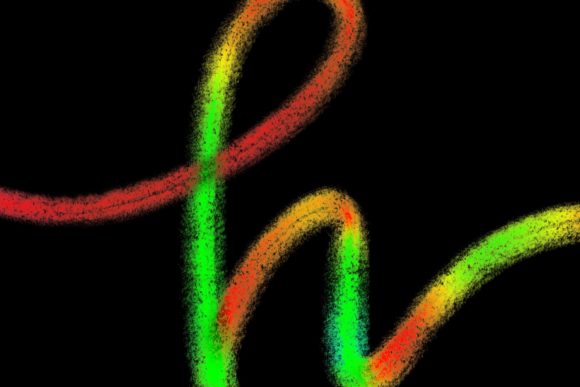
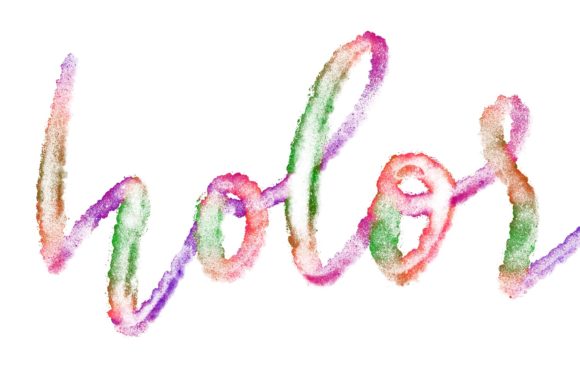
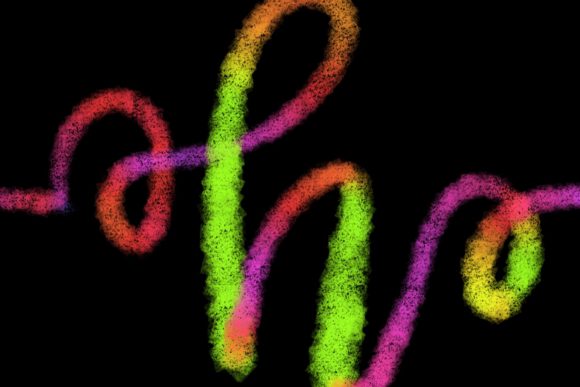
The primary appeal of the Glazed Colored Crayon brush lies in its ability to bridge the gap between digital precision and organic imperfection. Traditional colored crayons are known for their grainy texture, vibrant saturation, and the way they interact with the tooth of paper. Replicating this digitally requires more than just a simple color overlay; it demands a complex algorithm that responds to pressure, tilt, and speed.
This brush is hand-drawn and engineered specifically for Procreate 5 and above. It is not merely a static stamp but a dynamic tool that adjusts its opacity and texture density based on user input. The "glazed" aspect refers to the semi-transparent layering capability, allowing artists to build up color depth gradually, similar to how one might layer wax crayons on paper to achieve richer tones or blend colors optically.
Primary Applications and Use Cases
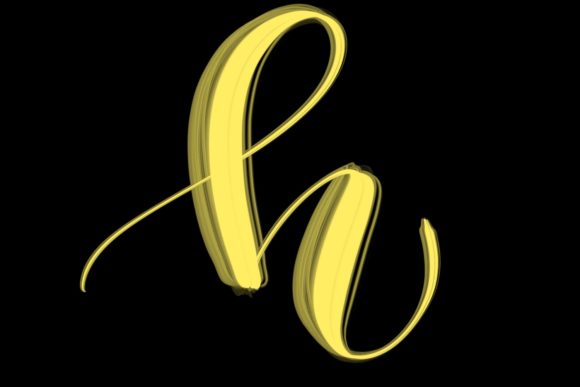
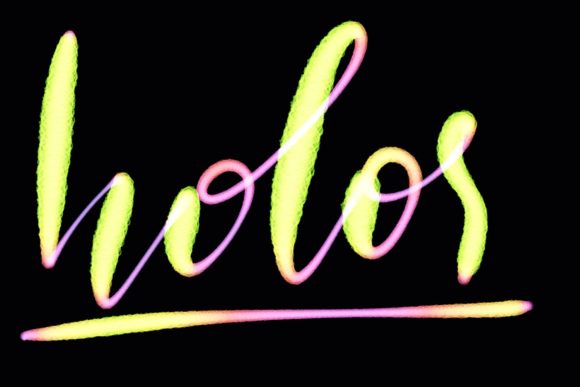
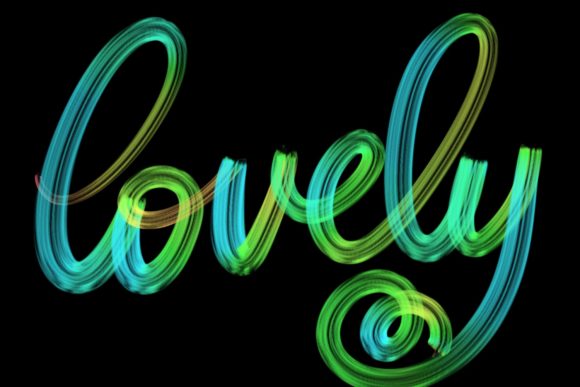
While versatile, this brush set is designed mainly for lettering and modern calligraphy designs. Its structure supports the fluid strokes required for elegant script while maintaining the rough, textured edge characteristic of crayon media. Here are several scenarios where this tool proves particularly effective:
- Modern Calligraphy: The brush responds well to pressure variations, making it suitable for creating thick downstrokes and thin upstrokes essential in calligraphic styles.
- Greeting Cards and Stationery: The warm, nostalgic feel of crayon textures adds a personal, handcrafted touch to wedding stationary, birthday cards, and invitations.
- Quote Designs and Typography: For social media graphics or printables, the textured lettering stands out against clean backgrounds, offering a casual yet polished look.
- Logo Design: Brands aiming for an artisanal, eco-friendly, or child-centric image may find this texture aligns well with their visual identity.
By integrating the Procreate Brush - Glazed Colored Crayon into your workflow, you can jazz up your workspace and home decor projects with unique, hand-lettered elements that feel authentic rather than digitally sterile.
Technical Requirements and Compatibility
Before purchasing or downloading this brush, it is crucial to understand the strict hardware and software requirements. Digital brushes are not universal; they rely on specific engine capabilities within the host application.
Required Hardware:
- iPad Pro: The brush is optimized for the processing power and screen responsiveness of the iPad Pro series.
- Apple Pencil: A compatible pressure-sensitive stylus is mandatory. The brush’s functionality depends on the Apple Pencil’s ability to detect subtle changes in pressure and tilt. Without this, the textured effect and line variation will not render correctly.
Required Software:
- Procreate App: This brush is exclusively compatible with Procreate version 5 and above. It utilizes specific brush engine features introduced in these updates.
Important Limitations:
It is vital to note that this brush is not suitable for Photoshop or any other computer-based software. It will not function on desktop applications, Android tablets, or older versions of Procreate. Attempting to use it outside the specified ecosystem will result in incompatibility errors or a failure to load the brush settings entirely.
Benefits and Tradeoffs
When evaluating whether this brush aligns with your creative goals, consider both the advantages and the limitations.
Benefits
The most significant benefit is the authentic texture. Achieving a realistic crayon look manually in digital art can be time-consuming, requiring multiple layers, noise filters, and blending modes. This brush automates much of that process, allowing for faster workflow efficiency. Additionally, because it is designed for lettering, the stroke dynamics are tuned to support the rhythm of handwriting, reducing the learning curve for calligraphers transitioning to digital mediums.
Tradeoffs
The primary tradeoff is platform exclusivity. Artists who work across multiple platforms (e.g., switching between iPad and desktop) cannot use this asset in their desktop workflow. Furthermore, the textured nature of the brush may not be suitable for designs requiring crisp, vector-like edges. If your project demands high-precision geometric lines or clean corporate typography, a standard round or monoline brush might be more appropriate.
Decision-Making Insights: Is This Brush Right for You?
To determine if the Procreate Brush - Glazed Colored Crayon is a worthwhile addition to your library, ask yourself the following questions:
- Do you own the necessary hardware? If you do not have an iPad Pro and Apple Pencil, this brush is not a viable option. Ensure your device meets the pressure-sensitivity requirements.
- Is your primary focus lettering or illustration? While it can be used for general drawing, its strength lies in typography and calligraphy. If you primarily create flat vector-style logos or photorealistic portraits, this tool may see limited use.
- Do you value organic textures? If your design style leans towards minimalism, clean lines, or industrial aesthetics, the grainy, waxy texture of this brush may clash with your brand identity. However, if you aim for warmth, nostalgia, or a hand-made feel, it is an excellent fit.
- Are you willing to adapt your workflow? Using textured brushes often requires adjusting expectations regarding undo/redo workflows and layer management. Textured strokes can sometimes appear noisy at small sizes, so testing scalability is recommended.
Alternatives and Considerations
If the Glazed Colored Crayon does not meet your specific needs, consider these alternatives:
- Standard Procreate Brushes: The default library includes various charcoal and pencil brushes that offer texture without the need for third-party downloads. These are free and fully optimized for all iPad models supporting Procreate.
- Vector-Based Apps: If you require scalable, clean lines for logo design, apps like Adobe Illustrator on the iPad or Affinity Designer may be better suited, though they lack the natural media simulation of Procreate.
- Other Textured Brushes: Many developers offer watercolor, ink, or pastel brushes. If the "crayon" look is too specific, a pastel brush might offer a similar dry-media texture with different blending characteristics.
Conclusion
The Procreate Brush - Glazed Colored Crayon is a specialized tool that excels in creating organic, hand-lettered designs with a distinct waxy texture. It is ideal for designers focusing on greeting cards, wedding stationery, and modern calligraphy who possess the required iPad Pro and Apple Pencil setup. However, its exclusivity to Procreate and specific hardware means it is not a universal solution. By carefully evaluating your hardware, design style, and project requirements, you can determine whether this brush enhances your creative toolkit or if a more versatile alternative better serves your needs.