Messy Huge Chalk: Procreate Brush Guide
There is a distinct tactile satisfaction in the sound of chalk dragging across a blackboard, a texture that digital design has long struggled to replicate authentically. For years, designers have searched for tools that bridge the gap between the sterile precision of vector graphics and the organic warmth of hand-drawn media. The Messy Huge Chalk brush for Procreate emerges as a compelling solution to this challenge, offering a robust, textured stroke that mimics the imperfections and character of real-world chalk.
This tool is not merely a novelty; it is a functional asset for modern creatives working within the iPad ecosystem. Designed specifically for lettering and modern calligraphy, it allows users to inject personality into their digital workspaces. Whether you are designing a wedding invitation, crafting social media graphics, or developing a brand identity, this brush provides the visual weight and textural depth necessary to stand out in an increasingly saturated digital landscape.
The Anatomy of Authentic Texture
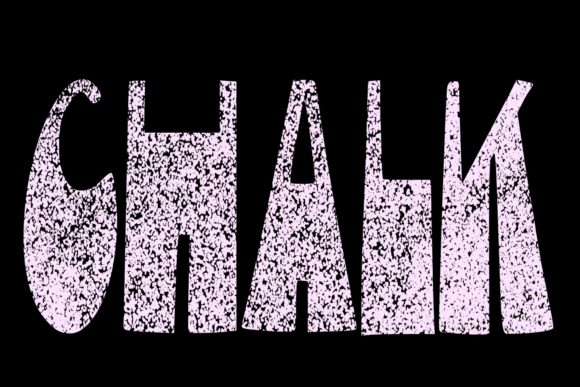
What sets the Messy Huge Chalk apart from standard digital brushes is its attention to the microscopic details of physical media. Real chalk does not apply evenly. It catches on the grain of the surface, leaving gaps, varying in opacity, and creating a "messy" edge that conveys movement and humanity. This brush replicates those nuances through advanced pressure sensitivity mapping.
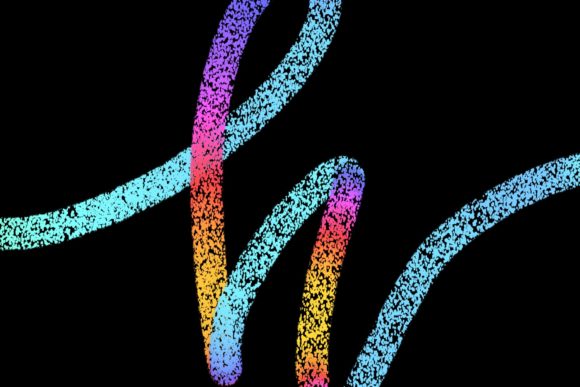
When you press lightly with your Apple Pencil, the stroke appears faint and dusty, much like the initial touch of chalk on slate. As you increase pressure, the pigment saturates, creating bold, confident lines. This dynamic range is crucial for modern calligraphy, where the contrast between thick downstrokes and thin upstrokes defines the elegance of the letterform. The brush engine handles these transitions smoothly, avoiding the jagged pixelation that often plagues lower-quality textured brushes.
Furthermore, the "huge" aspect of the name refers to its scalability. Unlike fine-point pens that lose definition when enlarged, this brush maintains its textural integrity even at large sizes. This makes it ideal for headline typography and poster designs where the texture itself becomes a central element of the composition.
Practical Applications for Professionals and Hobbyists
The versatility of this brush extends far beyond simple sketching. For professionals and entrepreneurs, the ability to create custom, hand-lettered assets can significantly enhance brand differentiation. Here is how various creators can leverage this tool in their daily workflows:
- Wedding and Event Stationery: The romantic, rustic aesthetic of chalk lettering is perennially popular in the wedding industry. Using this brush, designers can create elegant save-the-dates, menu cards, and seating charts that feel personal and handcrafted rather than mass-produced.
- Social Media Content: In the scroll-heavy environment of Instagram and Pinterest, static text often gets ignored. Quotes and announcements rendered in Messy Huge Chalk stop the eye. The texture adds a layer of visual interest that flat fonts lack, increasing engagement rates for bloggers and marketers.
- Logo and Brand Identity: For businesses aiming for an artisanal, boutique, or eco-friendly image, a logo created with this brush can communicate values of authenticity and craftsmanship. It works particularly well for coffee shops, bakeries, and handmade goods retailers.
- Educational Materials: Educators and online course creators can use this brush to design worksheets, presentation slides, and explanatory diagrams that mimic the classroom blackboard experience, making digital learning feel more familiar and approachable.
Technical Requirements and Compatibility
To achieve the intended results, it is critical to understand the hardware dependencies of this tool. The Messy Huge Chalk brush is engineered exclusively for the Procreate app on iPad. It relies heavily on the tilt and pressure data provided by the Apple Pencil. Without this specific hardware integration, the brush cannot simulate the natural variation in line weight and opacity that defines its character.
It is important to note that this brush is not suitable for Photoshop, Illustrator, or any desktop-based software. Attempting to use it outside of the Procreate environment on iPad Pro will result in functionality errors or a complete loss of the textured effect. Users must ensure they are running Procreate 5 or above, as earlier versions may not support the latest brush engine optimizations required for high-fidelity texture rendering.
For optimal performance, an iPad Pro paired with the second-generation Apple Pencil is recommended. The low latency and high pressure sensitivity of this combination allow for the most responsive and natural drawing experience. While other iPad models may run the brush, the nuanced control required for professional-grade calligraphy is best realized on Pro hardware.
Enhancing Workflow Efficiency
Beyond aesthetics, this brush offers practical benefits for workflow efficiency. Creating realistic chalk effects manually in vector software can be time-consuming, requiring multiple layers, noise filters, and masking techniques to simulate imperfection. With Messy Huge Chalk, this texture is built into the stroke itself. What might take thirty minutes to fake in Photoshop can be achieved in seconds with a single stroke in Procreate.
This efficiency allows designers to iterate faster. You can experiment with different layouts, wording, and compositions without being bogged down by technical adjustments. For freelancers managing tight deadlines, this speed translates directly into higher productivity and the ability to take on more projects.
Tips for Mastering the Brush
To get the most out of this tool, consider the following best practices:
- Layer Management: Use separate layers for different elements of your design. This allows you to adjust the opacity or blend mode of specific text elements without affecting the entire composition. Try using the "Multiply" blend mode if you are placing text over a colored background to enhance the chalk-like transparency.
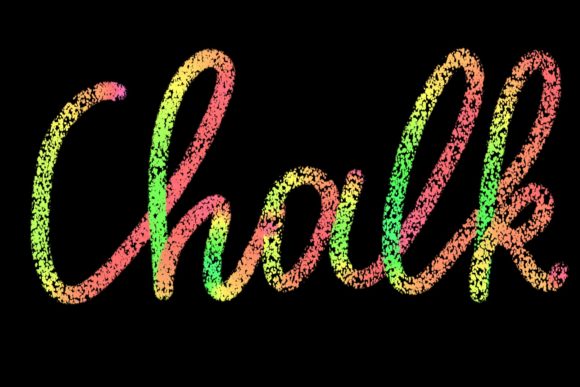
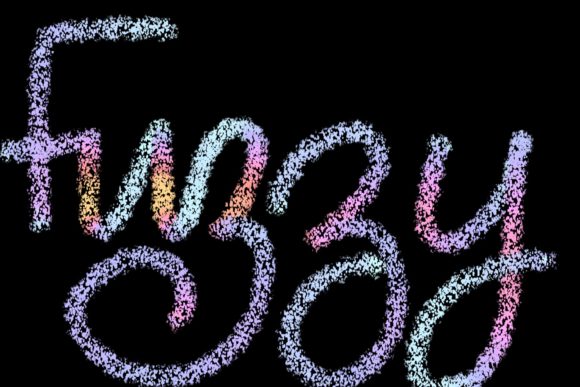
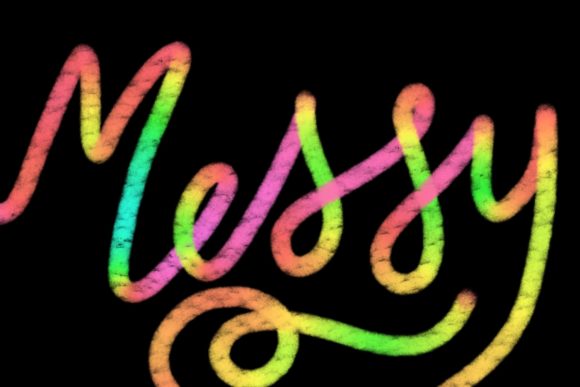
- Color Selection: While white on black is the classic chalkboard look, do not limit yourself to monochrome. Soft pastels, muted earth tones, and even vibrant neons can look stunning when rendered with this texture. The messy edges help blend the color into the background naturally.
- Embrace Imperfection: The beauty of this brush lies in its unpredictability. Do not try to correct every stray mark or uneven edge. These "flaws" are what give the design its human touch. If a stroke looks too clean, it likely defeats the purpose of using a textured brush.
- Combine with Other Tools: Use the Messy Huge Chalk for headlines and accent words, but pair it with cleaner, sans-serif fonts for body text. This contrast ensures readability while maintaining the artistic flair of the header.
Final Thoughts on Digital Craftsmanship
In an era where AI-generated images and template-based designs are becoming ubiquitous, the value of human-made art is rising. Tools like the Messy Huge Chalk brush empower creators to infuse their work with individuality. It is not just about making things look pretty; it is about communicating warmth, effort, and authenticity.
Whether you are a seasoned graphic designer looking to expand your digital toolkit or a hobbyist eager to explore modern calligraphy, this brush offers a reliable, high-quality medium for expression. By understanding its capabilities and respecting its technical requirements, you can elevate your digital projects from generic to genuine, creating visuals that resonate deeply with your audience.