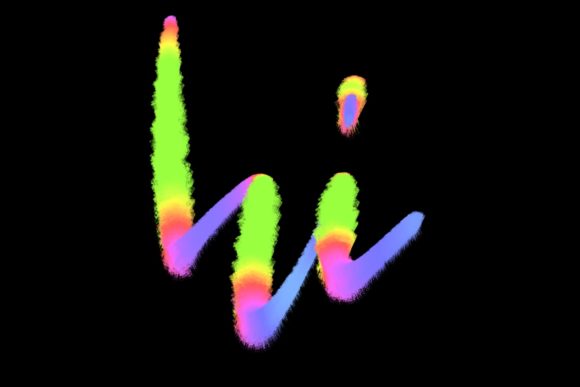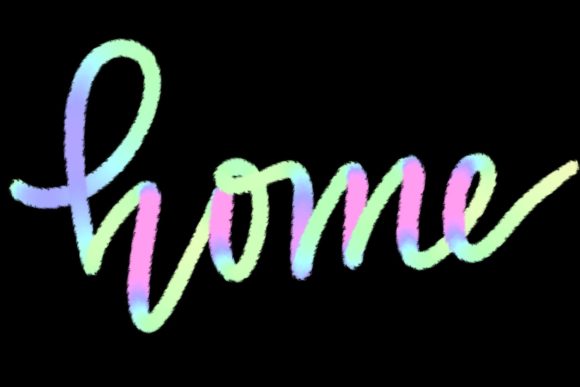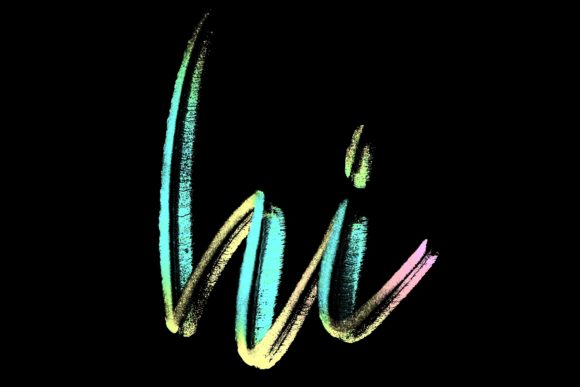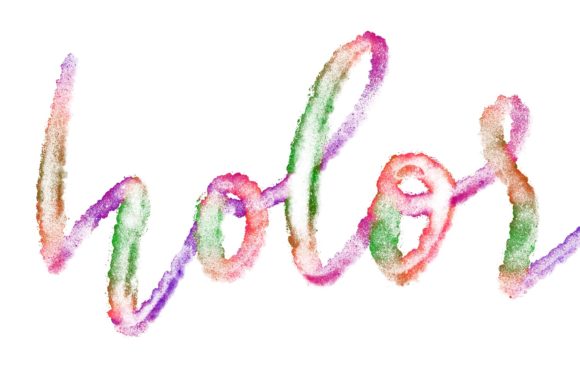
Rough Ink Bleed Brush for Procreate
Digital art has evolved rapidly, yet many creators still crave the organic, imperfect charm of traditional media. The Procreate Brush - Rough Ink Bleed bridges this gap by offering a hand-drawn aesthetic that feels authentic and textured. Designed specifically for lettering and modern calligraphy, this tool allows artists to infuse their digital work with the warmth and character of real ink on paper. Whether you are a seasoned designer or a beginner exploring creative hobbies, this brush set provides a unique way to elevate your projects without the mess of physical supplies.
Understanding the Appeal of Textured Lettering
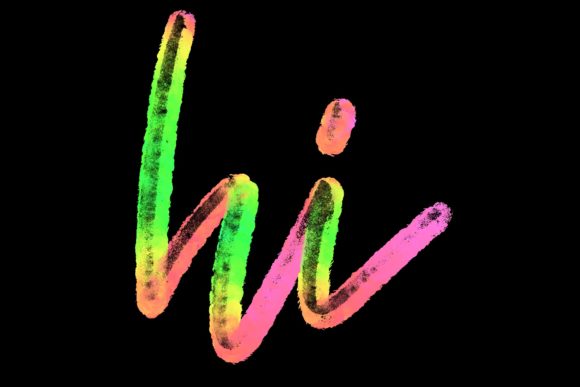
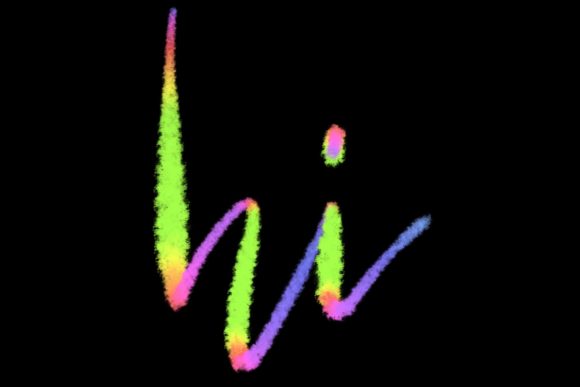
In a world dominated by clean, vector-based graphics, there is a growing appreciation for designs that feel human and tactile. The Rough Ink Bleed Lettering brush captures the subtle irregularities of hand-lettered text. Unlike standard digital fonts or smooth vector lines, this brush mimics the way ink spreads and bleeds slightly into paper fibers. This effect adds depth and personality to every stroke, making your designs stand out in a crowded digital landscape.
The primary purpose of this brush is to facilitate modern calligraphy and hand-lettering designs. It is not just about writing words; it is about creating an emotional connection through visual texture. When you use this tool, you are not merely typing; you are crafting elegant letters that carry the weight and flow of manual penmanship. This makes it an invaluable asset for anyone looking to add a personal touch to their creative output.
Practical Applications for Creators and Businesses
The versatility of the Rough Ink Bleed brush extends far beyond simple practice sketches. It is a powerful tool for various professional and personal projects. Here are some realistic ways you can integrate this brush into your workflow:
- Greeting Cards and Stationery: Create heartfelt messages for birthdays, holidays, or thank-you notes. The textured look adds sincerity and warmth that standard fonts often lack.
- Wedding Invitations: Modern couples often seek a blend of elegance and rustic charm. This brush allows you to design custom invitations, save-the-dates, and place cards that feel bespoke and luxurious.
- Social Media Graphics: Stand out on platforms like Instagram or Pinterest with quote designs that catch the eye. The rough edges of the ink provide excellent contrast against clean backgrounds.
- Logo Design: For brands focusing on artisanal products, organic foods, or handmade goods, a logo created with this brush can communicate authenticity and craftsmanship.
- Home Decor and Wall Art: Design printable art pieces featuring inspirational quotes or minimalist typography to jazz up your workspace and home.
For entrepreneurs and small business owners, having access to such a distinctive style means you can create marketing materials in-house without hiring external illustrators. It empowers you to maintain brand consistency while adding a unique artistic flair to your communications.
Why This Brush Stands Out
What makes the Procreate Brush - Rough Ink Bleed particularly effective is its hand-drawn origin. Many digital brushes are algorithmically generated, which can sometimes result in repetitive or sterile patterns. In contrast, this brush set is crafted to replicate the nuances of actual ink behavior. Each stroke responds dynamically to your pressure and speed, ensuring that no two letters look exactly alike.
This responsiveness is crucial for achieving natural-looking calligraphy. Beginners often struggle with making digital lettering look fluid and organic. With this brush, the learning curve is smoother because the tool does much of the heavy lifting regarding texture and variation. You can focus on the structure and flow of your letters, confident that the final result will have that desired "ink-on-paper" quality.
Essential Requirements and Compatibility
Before purchasing or downloading this brush, it is vital to understand the technical requirements. The Rough Ink Bleed Lettering brush is engineered exclusively for the Procreate app on iPad. It leverages the advanced pressure sensitivity and tilt recognition features of the Apple Pencil to deliver its signature effect.
To use this brush effectively, you need the following:
- iPad Pro: While other iPad models may run Procreate, the iPad Pro offers the best performance and screen real estate for detailed lettering work.
- Apple Pencil: A compatible, pressure-sensitive stylus is non-negotiable. The brush relies on varying pressure levels to create thick downstrokes and thin upstrokes, mimicking traditional nib pens.
- Procreate App (Version 5 and above): Ensure your software is updated to support the latest brush engines and features.
Important Note: This brush is not suitable for Photoshop, Illustrator, or any desktop computer software. It is also incompatible with non-pressure-sensitive styluses or finger painting. Attempting to use it outside the Procreate ecosystem on iPad will result in a loss of functionality and the intended artistic effect.
Tips for Getting Started
If you are new to digital lettering, starting with the Rough Ink Bleed brush can be both exciting and slightly challenging. Here are a few tips to help you make the most of this tool:
First, adjust your canvas size. High-resolution canvases allow the texture of the brush to render clearly without appearing pixelated. This is especially important if you plan to print your designs for greeting cards or wall art.
Second, experiment with pressure. Practice drawing simple lines, varying the pressure from light to heavy. Notice how the "bleed" effect changes with speed and force. Slower strokes often allow more ink to accumulate, creating a richer, darker look, while faster strokes appear lighter and more textured.
Third, layer your work. Use the brush on separate layers for different elements of your design. This allows you to adjust opacity, blending modes, or color without affecting the entire composition. For example, you might write your main quote in black ink and add subtle decorative flourishes in a muted gray on a lower layer.
Final Thoughts on Enhancing Your Creative Workflow
The Procreate Brush - Rough Ink Bleed is more than just a digital tool; it is a gateway to expressing creativity with authenticity. By combining the convenience of digital editing with the soul of traditional ink, it offers a unique value proposition for designers, hobbyists, and professionals alike. Whether you are designing wedding stationary, creating social media content, or simply decorating your home with personalized art, this brush provides the elegance and character needed to make your work memorable.
Remember, the key to mastering this brush lies in practice and understanding its limitations. Respect the hardware requirements, embrace the learning process, and let the natural imperfections of the ink bleed guide your artistic journey. With patience and experimentation, you will find that this tool becomes an indispensable part of your digital arsenal.