Refining Your Digital Calligraphy: A Practical Look at the Lettering Love 10 Brush for Procreate
Digital lettering has evolved from a niche hobby into a vital skill for graphic designers, social media content creators, and wedding stationery artists. At the heart of this creative shift is the software itself, but equally important are the tools within it. For users of the iPad Pro, selecting the right brush can mean the difference between stiff, mechanical lines and fluid, organic typography. The Procreate Brush - Lettering Love 10 emerges as a specialized tool designed specifically for modern calligraphy and hand-lettered designs. Understanding its specific capabilities, limitations, and ideal use cases is essential for anyone looking to elevate their digital workspace.
Understanding the Design Philosophy Behind Lettering Love 10
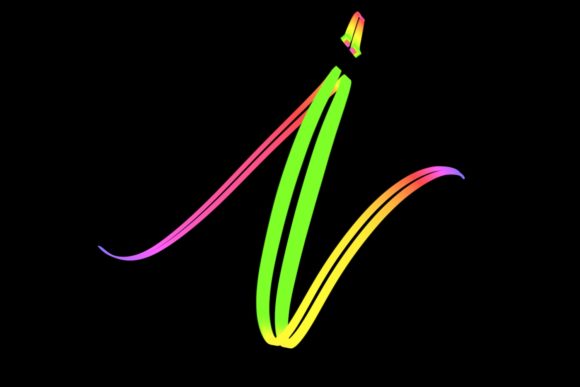
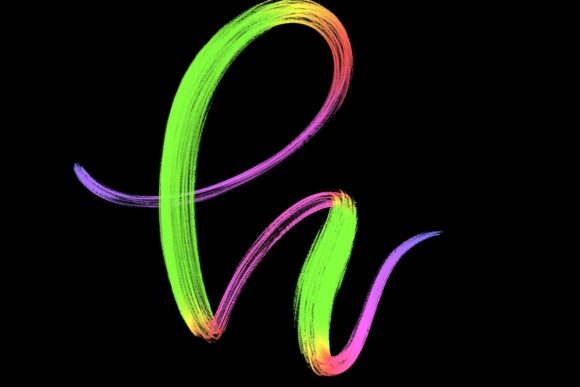
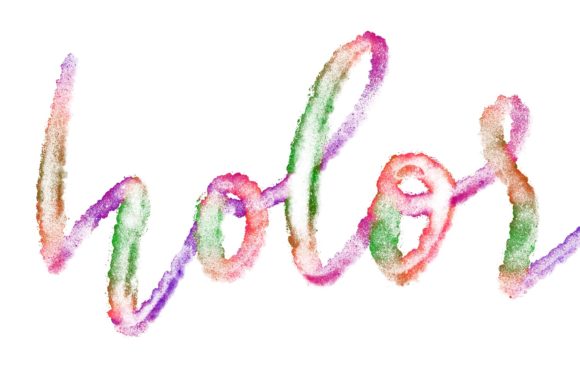
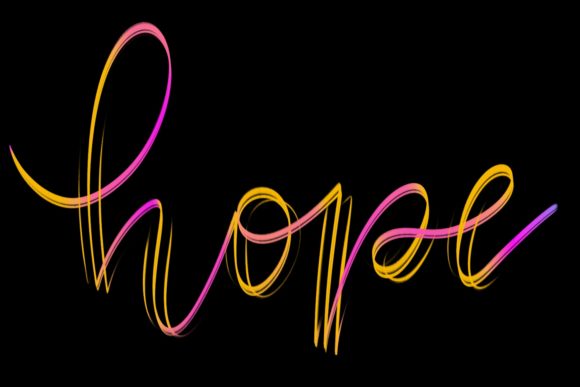
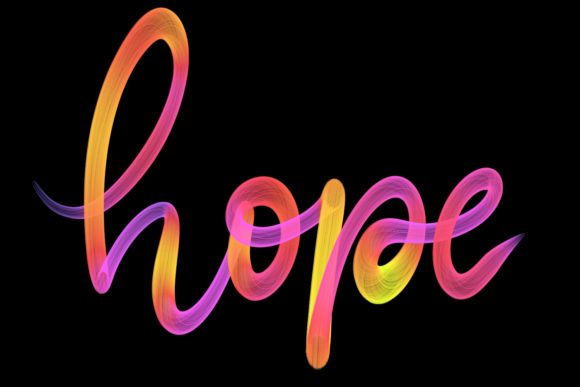
The Lettering Love 10 brush is not a generic utility; it is a hand-drawn asset engineered to mimic the tactile response of traditional ink on paper. Unlike standard round brushes that rely solely on pressure sensitivity to vary line weight, this brush is optimized for the nuances of cursive and script work. It is designed primarily for lettering and modern calligraphy, offering a distinct texture that adds character to digital compositions.
What sets this brush apart is its intentional imperfection. In traditional calligraphy, the slight bleed of ink and the texture of the paper contribute to the aesthetic appeal. The Lettering Love 10 replicates this by providing a stroke that feels grounded and authentic. This makes it particularly effective for creating elegant letters that do not look overly processed or computer-generated. For artists aiming to jazz up their workspace or create home decor pieces that feel personal and handcrafted, this level of detail is crucial.
Compatibility and Technical Requirements
Before integrating any new tool into your workflow, it is vital to assess technical compatibility. The Procreate Brush - Lettering Love 10 is exclusively designed for the Procreate app on iPad OS. Specifically, it requires an iPad Pro and a compatible pressure-sensitive stylus, such as the Apple Pencil. This hardware dependency is not arbitrary; the brush’s algorithm relies on the high-fidelity pressure and tilt data provided by these devices to function correctly.
It is important to note what this tool is not. It is not suitable for Photoshop, Illustrator, or any desktop-based computer software. Users attempting to import this brush into non-Procreate environments will find it incompatible. Furthermore, while it works on various iPad models, the experience is optimized for the iPad Pro series due to the superior refresh rate and pressure sensitivity accuracy. If you are using an older iPad model or a third-party stylus without advanced pressure capabilities, the nuanced performance of the brush may be compromised.
Practical Applications and Use Cases
The versatility of the Lettering Love 10 extends beyond simple practice sheets. Its design allows for a wide range of professional and personal projects. Here are some of the most effective applications for this brush:
- Wedding Stationery: The elegant, flowing nature of the brush makes it ideal for invitations, save-the-dates, and place cards. The organic texture adds a touch of sophistication that couples often seek for formal events.
- Greeting Cards: Whether for birthdays, holidays, or thank-you notes, the brush allows for quick yet beautiful handwritten messages that feel personal rather than mass-produced.
- Logo Design: For brands seeking a boutique or artisanal feel, this brush can help create custom logotypes that stand out from geometric, sans-serif competitors.
- Social Media Graphics: Quote designs and inspirational posts benefit from the visual interest added by textured lettering, increasing engagement through aesthetic appeal.
- Home Decor: Artists can create digital prints for wall art, posters, and canvas wraps, bringing a hand-lettered vibe to interior design without the mess of physical paints.
Comparing Specialized Brushes vs. Standard Tools
When evaluating whether to invest in a specialized brush like Lettering Love 10, it is helpful to compare it against standard Procreate defaults. The default calligraphy brushes in Procreate are functional and versatile, but they often produce a very clean, uniform line. While this is useful for technical drawings, it can lack the warmth required for emotional or artistic lettering.
Standard brushes require significant manual adjustment of settings—such as streamline, opacity, and size jitter—to achieve a natural look. In contrast, Lettering Love 10 comes pre-configured with these nuances. This reduces the time spent tweaking settings and allows the artist to focus on the flow of the letterforms. However, this specialization is also a tradeoff. A standard round brush can be used for sketching, coloring, and detailing, whereas Lettering Love 10 is strictly for lettering. It is not a multi-purpose tool, but rather a precision instrument for a specific task.
Strengths and Limitations
To make an informed decision, one must weigh the strengths against the limitations of the Procreate Brush - Lettering Love 10.
Strengths
- Authentic Texture: The hand-drawn origin of the brush provides a realistic feel that is difficult to replicate with vector tools.
- Ease of Use: Minimal setup is required. Once installed, the brush is ready to produce high-quality strokes immediately.
- Aesthetic Consistency: The brush maintains a consistent style across different letters, ensuring cohesive designs in logos and quotes.
Limitations
- Hardware Dependency: As noted, it requires specific Apple hardware. Users on Android tablets or Windows surfaces cannot utilize this resource.
- Niche Application: It is not suitable for broad illustration tasks, background filling, or geometric design work.
- Learning Curve for Calligraphy: While the brush aids the process, it does not replace the need for fundamental calligraphy skills. Users must still understand pen pressure control and letter structure to achieve optimal results.
When Is This Brush the Right Choice?
The Lettering Love 10 is an excellent choice for artists who already have a grasp of basic lettering principles and are looking to refine their digital output. If your primary goal is to create elegant, hand-written styles for commercial or personal projects, this brush offers a significant advantage over generic tools. It is particularly beneficial for those who value the "human touch" in their digital art and want to avoid the sterile look of perfect vector curves.
However, if you are a beginner struggling with basic stroke control, a specialized brush may not solve underlying technique issues. In such cases, practicing with simpler, more forgiving brushes might be more beneficial before transitioning to textured options. Additionally, if your work involves a mix of illustration and typography, you may prefer a more versatile brush set that can handle multiple roles, even if it requires more manual customization.
Making the Decision
Choosing the right digital tool is about aligning resources with your creative goals. The Procreate Brush - Lettering Love 10 represents a focused investment in quality typography. It is not a magic solution, but rather a refined instrument that rewards skill and intentionality. For professionals and enthusiasts working within the Apple ecosystem, it offers a streamlined path to creating sophisticated, textured lettering that resonates with viewers.
Ultimately, the decision depends on your workflow. If you frequently create quotes, invitations, or branded lettering, the efficiency and aesthetic quality of Lettering Love 10 can significantly enhance your productivity and final output. For those exploring alternatives, consider whether you need a specialized tool for elegance or a generalist tool for flexibility. By understanding these distinctions, you can curate a digital workspace that truly supports your artistic vision.