Refining Digital Lettering with the Textured Letters 2 Brush for Procreate
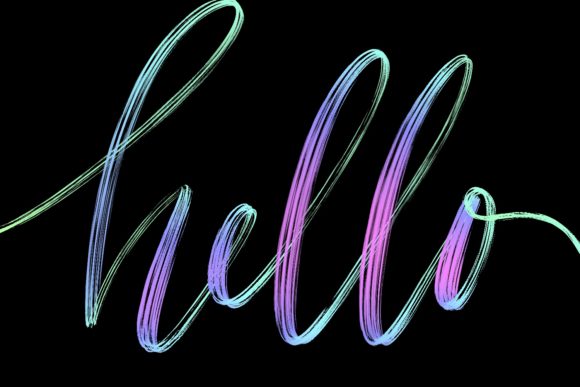
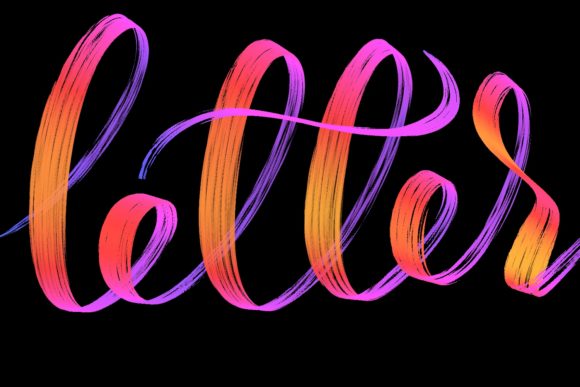
In the evolving landscape of digital illustration, the gap between traditional media and tablet-based creation continues to narrow. For lettering artists, calligraphers, and graphic designers, the tactile quality of a stroke is often just as important as its shape. This is where specialized tools like the Textured Letters 2 brush for Procreate become essential assets in a modern creative workflow. Designed specifically for Procreate 5 and above, this hand-drawn brush set offers a distinct aesthetic that bridges the gap between clean vector lines and organic, hand-crafted typography.
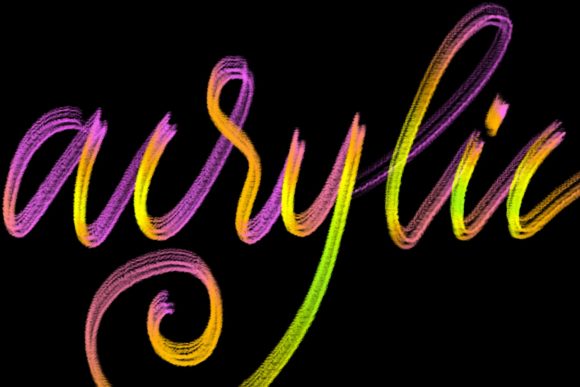
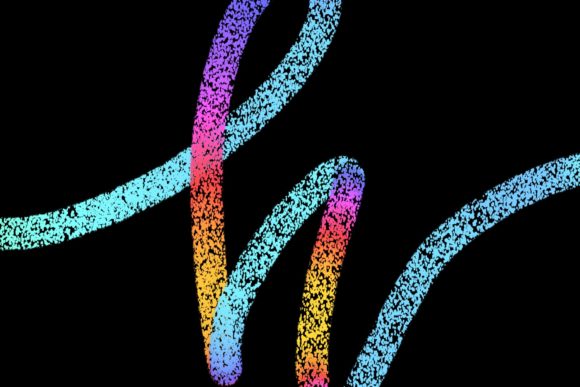
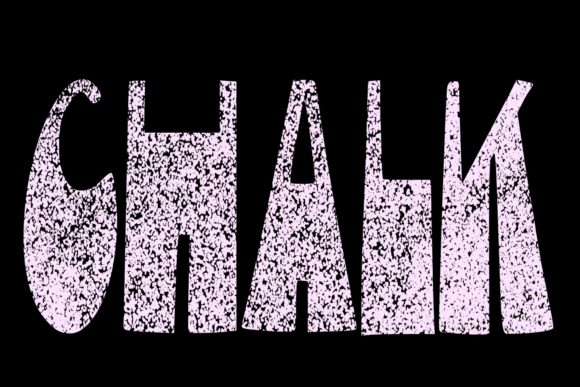
While standard digital brushes often produce uniform, sterile lines, the Textured Letters 2 collection introduces intentional imperfections and grain. These characteristics are not bugs; they are features that mimic the behavior of ink on textured paper or chalk on a rough surface. For professionals looking to jazz up their workspace designs, home decor projects, or client deliverables, understanding the specific utility and limitations of this tool is crucial for maximizing its potential.
The Aesthetic Value of Digital Texture
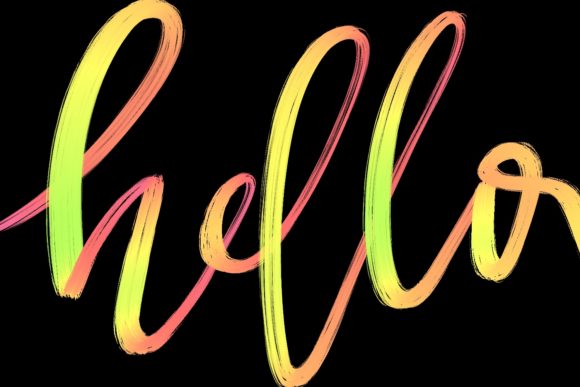
The primary appeal of the Textured Letters 2 brush lies in its ability to inject personality into digital text. In an era where sans-serif minimalism dominates corporate branding, there is a growing counter-movement toward warmth, authenticity, and human touch. This brush set caters directly to that demand. By simulating the natural variation found in traditional media, it allows creators to produce work that feels grounded and approachable.
Unlike generic texture overlays applied in post-production, which can sometimes look artificial or disconnected from the letterforms, this brush integrates texture into the stroke itself. As you draw, the pressure sensitivity of the Apple Pencil interacts with the brush’s engine to reveal varying degrees of grain and opacity. This results in a dynamic range of values within a single letter, creating depth and visual interest that static fonts simply cannot achieve. For marketers and bloggers, this means creating quote graphics and social media assets that stop the scroll by offering a genuine, hand-made feel.
Practical Applications for Professionals and Creators
The versatility of the Textured Letters 2 brush extends across various industries and project types. Its design is optimized for modern calligraphy and lettering, making it a robust choice for several key applications:
- Wedding Stationery and Invitations: The elegant, organic flow of the brush is ideal for creating bespoke invitations. Couples often seek a romantic, personalized touch that standard typefaces lack. This brush allows designers to craft custom monograms and headers that feel intimate and exclusive.
- Brand Identity and Logos: For small business owners and entrepreneurs, particularly those in lifestyle, wellness, or artisanal sectors, a logo with textured lettering can convey craftsmanship and attention to detail. It helps differentiate a brand from competitors using generic template logos.
- Greeting Cards and Print-on-Demand: The brush excels in creating standalone quote designs. Whether for holiday cards, birthday messages, or motivational posters, the textured effect adds a layer of sophistication that enhances the perceived value of the final product.
- Home Decor and Workspace Art: As noted in its description, this brush is perfect for jazzing up home and workspace environments. Designers can create large-scale typographic art prints that add character to interior spaces, blending modern digital precision with rustic charm.
For freelancers and agencies, the efficiency of using a pre-configured brush like Textured Letters 2 cannot be overstated. Instead of spending hours manually adding noise or distress effects to clean vector paths in Photoshop or Illustrator, artists can achieve a similar, often more natural, result in real-time within Procreate. This streamlines the design process, allowing for faster iteration and client revisions.
Technical Requirements and Compatibility Constraints
While the artistic potential of this brush is significant, it is imperative to address its technical constraints. The Textured Letters 2 brush is engineered exclusively for the Procreate app on iPad. Specifically, it requires an iPad Pro (or compatible iPad model) paired with an Apple Pencil or another pressure-sensitive stylus. This dependency is not arbitrary; the brush’s algorithm relies heavily on pressure data to modulate the texture and weight of the stroke.
Users must understand that this tool is not suitable for Photoshop, Illustrator, Affinity Designer, or any desktop-based software. It is also ineffective on devices lacking pressure sensitivity, such as older iPads used with a finger or a basic capacitive stylus. Attempting to use this brush without the proper hardware will result in flat, inconsistent lines that fail to showcase the intended textured effect. Therefore, before purchasing or downloading, creators should verify their hardware setup. If your workflow is primarily desktop-based, you may need to consider alternative plugins or actions, though they rarely offer the same intuitive, hand-drawn experience.
Evaluating Usability and Workflow Integration
From a usability standpoint, the Textured Letters 2 brush is designed for immediate implementation. There is no steep learning curve associated with its basic operation. If you are familiar with fundamental Procreate gestures and brush settings, you can begin creating polished lettering within minutes. However, mastering the nuance of the brush requires practice. Because the texture reacts to speed and pressure, users must develop a steady hand and consistent rhythm to maintain uniformity across longer words or phrases.
One of the strengths of this brush set is its flexibility. While it comes with preset configurations, Procreate allows users to tweak streamlining, size jitter, and opacity settings. This means that experienced users can customize the brush to better suit their specific style, whether they prefer a heavier, bolder texture or a lighter, more subtle grain. This adaptability ensures that the tool remains relevant as a designer’s skills evolve.
However, there are limitations to consider. Highly intricate, small-scale text may lose readability if the texture is too aggressive. In such cases, designers might need to adjust the brush size or reduce the texture intensity. Additionally, because the output is raster-based (pixel-based), scaling up the artwork significantly after creation can lead to pixelation. For projects requiring infinite scalability, such as large-format signage, it is advisable to create the lettering at a high resolution initially or use the Procreate file as a reference for vector tracing in other software.
Who Benefits Most from This Tool?
The Textured Letters 2 brush is not a one-size-fits-all solution, but it is exceptionally valuable for specific audiences:
- Digital Calligraphers: Artists who specialize in script and hand-lettering will find this brush indispensable for adding realism to their digital portfolios.
- Social Media Managers and Content Creators: Those who need to produce high volumes of visually engaging text-based content quickly will appreciate the speed and aesthetic quality this tool provides.
- Educators and Workshop Leaders: Teachers demonstrating digital lettering techniques can use this brush to show students how texture impacts mood and readability.
- Hobbyists Transitioning to Professional Work: Serious hobbyists looking to monetize their art will find that the polished look of textured lettering helps elevate their offerings from amateur to professional grade.
Conversely, designers who strictly work in geometric, minimalist, or corporate tech styles may find less utility in this specific brush. It is a stylistic choice that favors warmth and organic imperfection over precision and uniformity.
Final Thoughts on Long-Term Value
Investing in specialized brushes like Textured Letters 2 is about more than acquiring a new tool; it is about expanding your creative vocabulary. In a competitive digital market, the ability to produce unique, textured typography sets your work apart. The brush offers a reliable, high-quality method for achieving a sought-after aesthetic without the mess and material costs of traditional media.
For those equipped with the necessary hardware—an iPad Pro and Apple Pencil—this brush set represents a practical addition to their digital arsenal. It balances ease of use with professional-grade results, making it a worthwhile consideration for anyone serious about enhancing their lettering and calligraphy projects. By understanding its strengths and respecting its technical requirements, creators can leverage Textured Letters 2 to produce work that is not only visually striking but also emotionally resonant.