Procreate Brush - Rainbow Nolor
Digital lettering has evolved from a niche hobby into a vital skill for modern creatives, yet finding the right tools to bridge the gap between traditional ink flow and digital precision remains a challenge. The Procreate Brush - Rainbow Nolor emerges as a specialized solution designed specifically for artists who value the organic feel of hand-drawn typography. This brush is not merely a preset; it is a carefully calibrated instrument that responds to the nuances of your hand, making it an essential addition for anyone looking to elevate their typographic work within the Procreate ecosystem.
For professionals and hobbyists alike, the search for a brush that mimics the unpredictability and charm of real-world media often ends in frustration. Many digital brushes feel too sterile or uniform, stripping away the personality that makes hand-lettering compelling. The Rainbow Nolor brush addresses this by offering a textured, dynamic stroke that retains the elegance of modern calligraphy while leveraging the flexibility of digital editing. Whether you are designing a wedding invitation suite or crafting social media graphics, this tool provides the artistic freedom needed to create standout visuals.
The Artistry Behind the Stroke
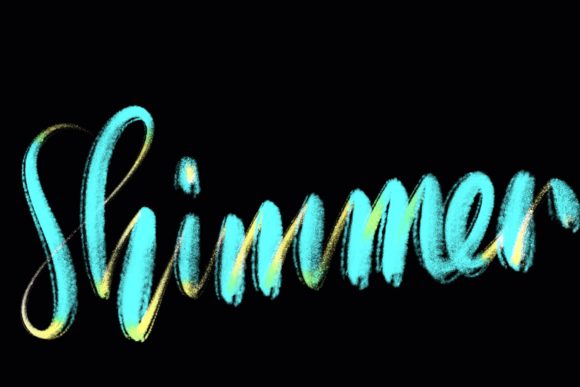
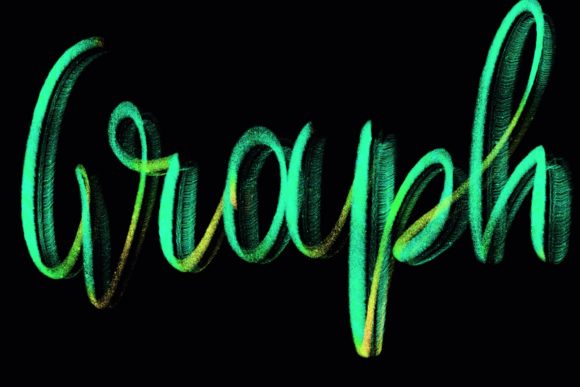
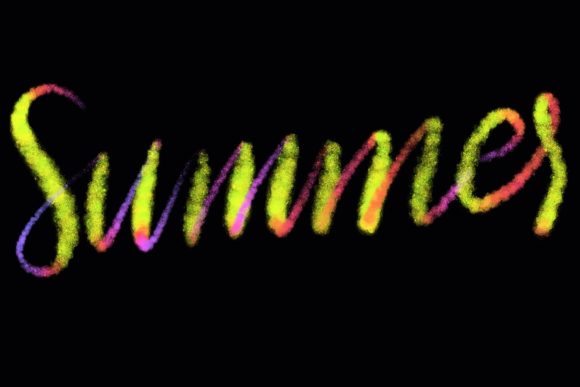
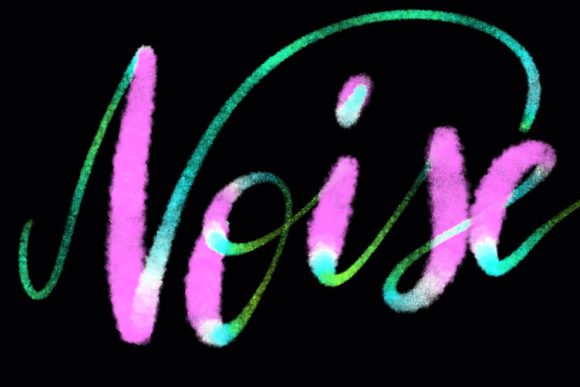
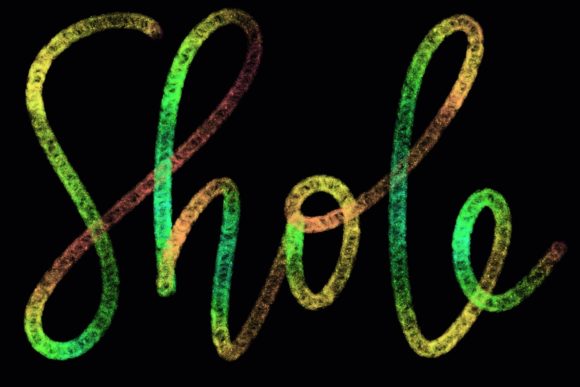
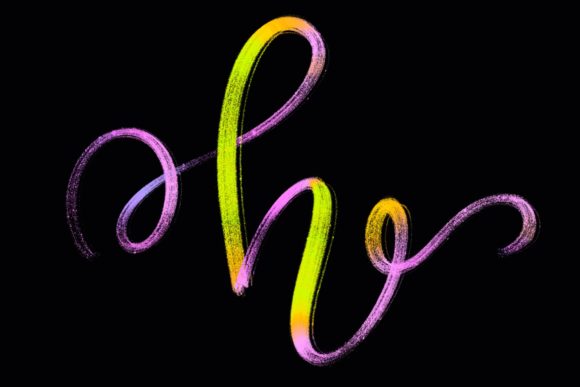
At its core, the Rainbow Nolor brush is hand-drawn and engineered with a specific focus on lettering and modern calligraphy designs. Unlike generic round brushes that rely solely on opacity and size pressure, this brush incorporates texture and variance that simulate the interaction between nib and paper. This results in strokes that have depth and character, avoiding the "perfectly smooth" look that often signals digital creation to the trained eye.
The primary strength of this brush lies in its ability to produce elegant letters with minimal effort. For beginners, this means achieving professional-looking results faster, as the brush does much of the heavy lifting regarding texture and line variation. For experienced calligraphers, it offers a reliable medium that respects their technique, allowing subtle changes in pressure and angle to translate directly into visual interest. The brush’s design ensures that every upstroke and downstroke carries the weight and flair typical of high-end calligraphic work.
Versatility in Creative Applications
While optimized for lettering, the utility of the Procreate Brush - Rainbow Nolor extends far beyond simple text. Its unique texture makes it an excellent choice for a variety of graphic design projects where a human touch is desired. Consider the following applications where this brush can significantly enhance your workflow:
- Wedding Stationery: Create bespoke invitations, save-the-dates, and place cards that feel personal and luxurious. The brush’s elegant lines pair perfectly with floral illustrations and minimalist layouts.
- Quote Designs and Social Media Graphics: In an era where visual content drives engagement, having a distinct typographic style helps brands stand out. Use the brush to overlay inspirational quotes on photography or solid backgrounds for Instagram posts and Pinterest pins.
- Logo Design and Branding: For businesses aiming for a boutique or artisanal aesthetic, custom lettering created with this brush can form the backbone of a memorable logo. It adds authenticity that standard fonts cannot replicate.
- Greeting Cards and Printables: Design heartfelt messages for birthdays, holidays, or thank-you notes. The tactile quality of the brush makes digital prints feel warm and inviting.
Entrepreneurs and marketers will find particular value in the efficiency this tool offers. Instead of licensing multiple fonts or spending hours vectorizing hand-drawn sketches, you can create original assets directly on your iPad. This streamlines the production process, allowing for rapid iteration and customization based on client feedback or campaign needs.
Technical Requirements and Compatibility
To fully leverage the capabilities of the Rainbow Nolor brush, understanding the technical environment is crucial. This tool is exclusively designed for the Procreate app on iPad. It relies heavily on the advanced pressure sensitivity and tilt recognition features found in Apple’s hardware ecosystem. Therefore, the following requirements must be met:
- iPad Pro: While other iPad models may run Procreate, the iPad Pro offers the processing power and screen responsiveness ideal for detailed calligraphy work.
- Apple Pencil: A compatible pressure-sensitive stylus, such as the Apple Pencil (1st or 2nd generation), is mandatory. The brush’s dynamic response to pressure variations is its defining feature, which cannot be replicated with a finger or a non-pressure-sensitive stylus.
- Procreate App: Ensure you are running Procreate 5 or above. Older versions may not support the specific brush engine parameters used in this set.
It is important to note a critical limitation: this brush is not suitable for Photoshop, Illustrator, or any desktop-based software. It is also incompatible with Android tablets or other drawing applications that do not support the specific file format and engine behaviors of Procreate. Attempting to use it outside this ecosystem will result in functionality issues or complete incompatibility. This specialization ensures that the brush performs optimally within its intended environment, but users must be committed to the iPad-Procreate workflow.
Enhancing Productivity and User Experience
Integrating the Procreate Brush - Rainbow Nolor into your daily routine can lead to noticeable improvements in both productivity and creative satisfaction. For educators and bloggers, the ability to quickly generate custom headers and diagrams adds a layer of professionalism to digital content. The brush allows for spontaneous creativity; you can sketch ideas during a commute or refine designs in a coffee shop, untethered from a desktop computer.
From a user experience perspective, the brush reduces the friction between concept and execution. Traditional calligraphy requires setup, cleanup, and physical materials. Digital calligraphy with this brush eliminates those barriers, allowing creators to experiment freely without fear of wasting supplies. Mistakes are easily undone, and layers allow for non-destructive editing, encouraging risk-taking and innovation in design.
For business owners, this translates to cost-effective branding. You can maintain a consistent visual identity across all platforms by using the same custom lettering style, reinforcing brand recognition without the recurring cost of hiring external typographers for every small project.
Making the Most of Your Tool
To get the best results from the Rainbow Nolor brush, practice is key. Start by experimenting with pressure sensitivity settings to understand how light and heavy touches affect the stroke width and texture. Utilize Procreate’s streamline feature if you are new to digital lettering, as it helps smooth out shaky hands and creates cleaner curves. Additionally, explore the color wheel extensively; the brush’s texture interacts differently with various hues and saturations, offering endless possibilities for visual impact.
Remember that while the tool is powerful, it is an extension of your skill. Combine it with other Procreate features like clipping masks, blending modes, and layer effects to add depth and dimension to your lettering. By mastering this brush, you equip yourself with a versatile asset that enhances both personal projects and professional deliverables, ensuring your digital workspace is as vibrant and dynamic as your creativity.